UA 5276, DEN, 4:20 PM, LANDED
UA 1506, LAX, 4:25 PM, NEXT
See Dad’s flight from across the kitchen
Connect Dad’s work calendar once and a month of back-to-back flights shows up on its own, on the tablet, fridge or TV you already own. Countdown to takeoff, the plane on the map, touchdown. When nobody is flying, it shows your photos.
The beta is open now and free. US domestic flights, any airline.
UA 5276 · Tulsa to Denver · Nov 14 · 24 minutes of flight in 8 seconds
A flight’s day on the frame
One flight, start to finish
Real screens from Dad’s flight, UA 5276, on Saturday, November 14. From the morning countdown to home mode.
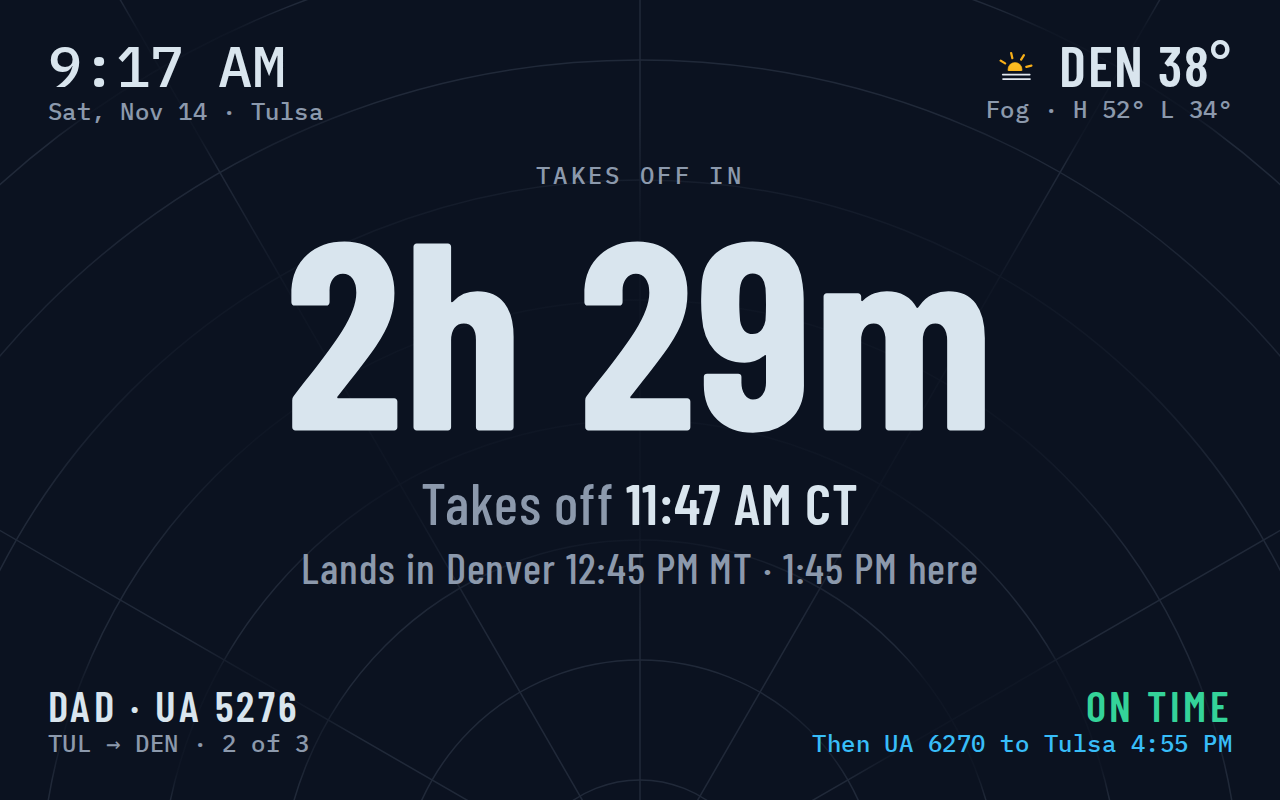
Takes off in 2h 29m
The morning of the trip, the frame counts down to takeoff in big numbers you can read from the sink, with the weather where Dad is headed.
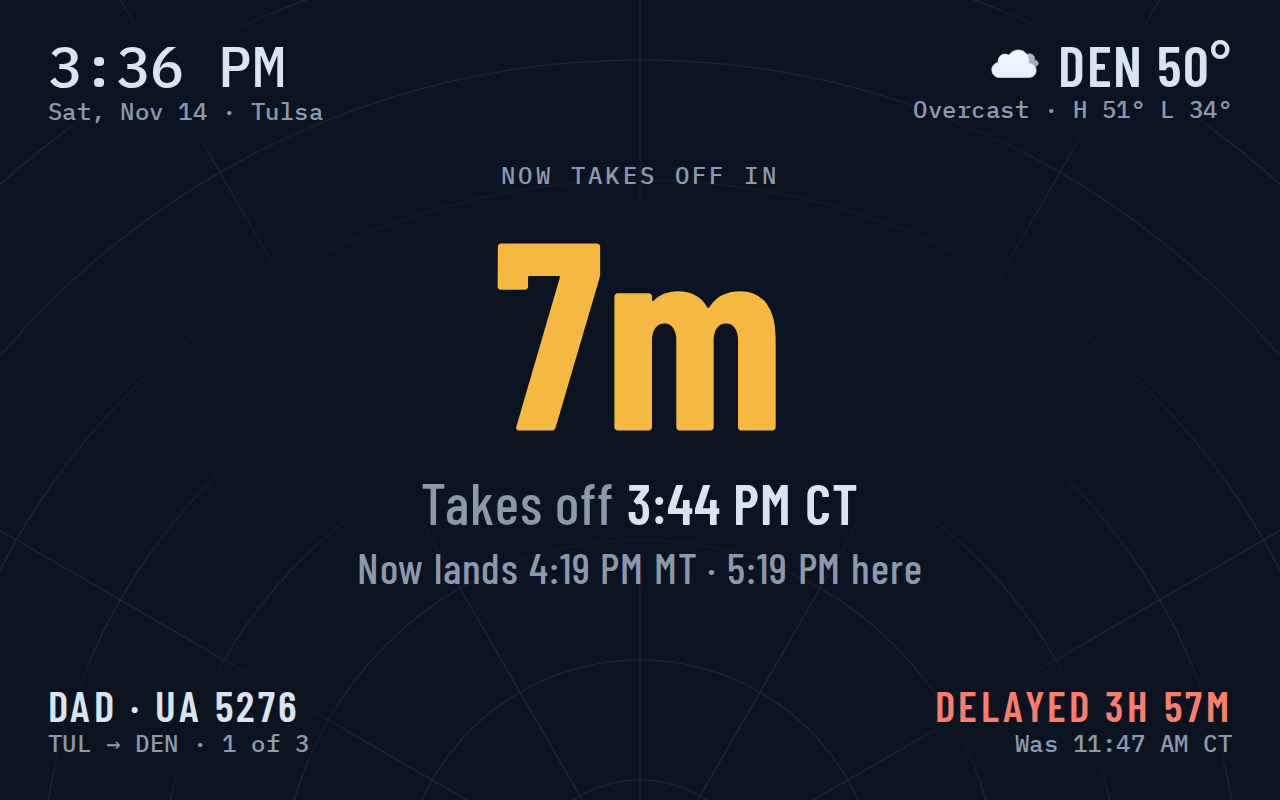
Now takes off in 7m
Delays show up on their own, with the old time next to the new one. Nobody has to refresh an airline app.
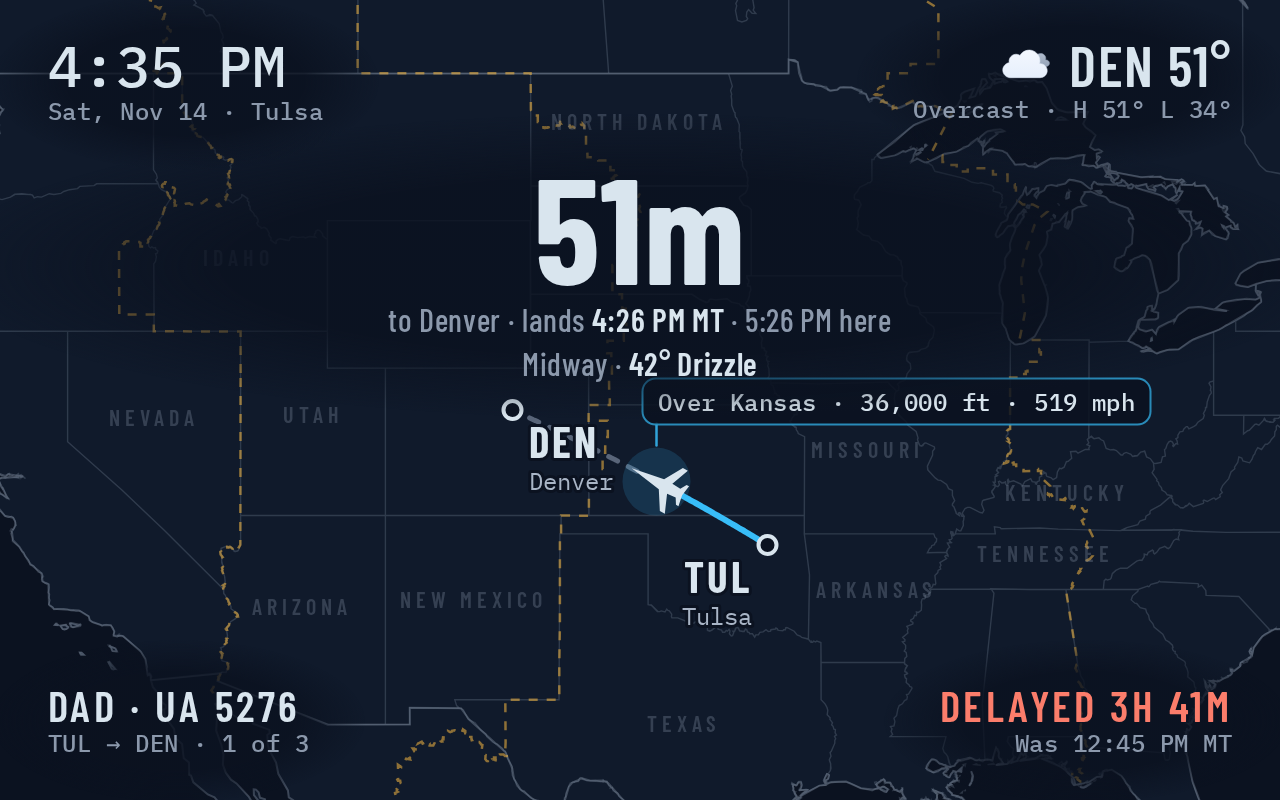
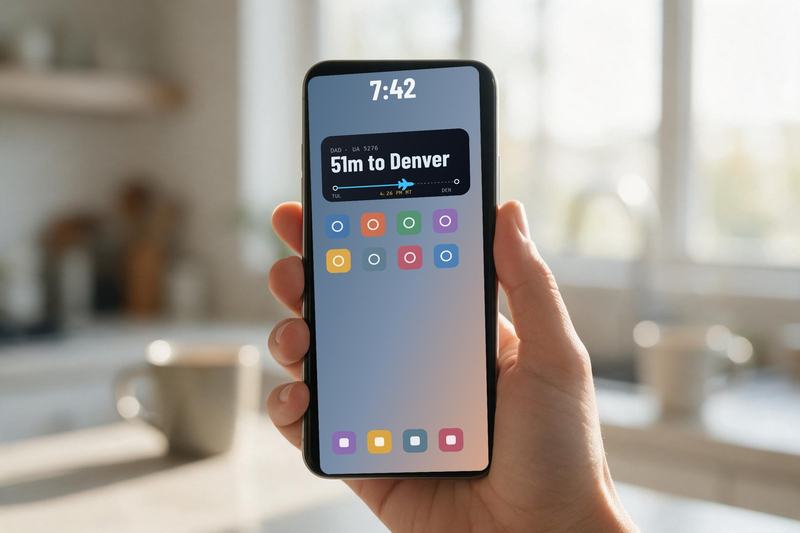
Over Kansas, 51m to Denver
In the air, the plane moves across the map. The big number is the time left, with the landing time in both cities.
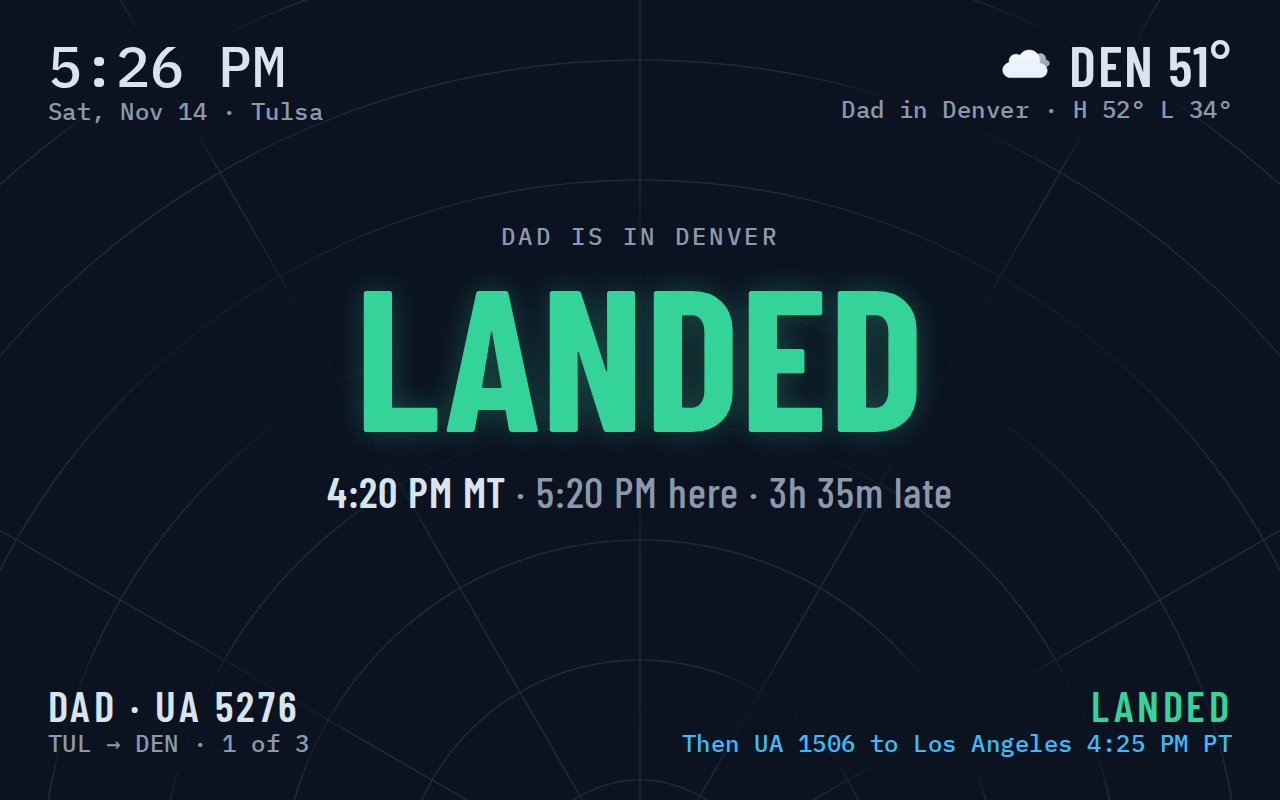
Landed at 4:20 PM MT
Touchdown shows in green the moment the wheels are down, with how late it ran.
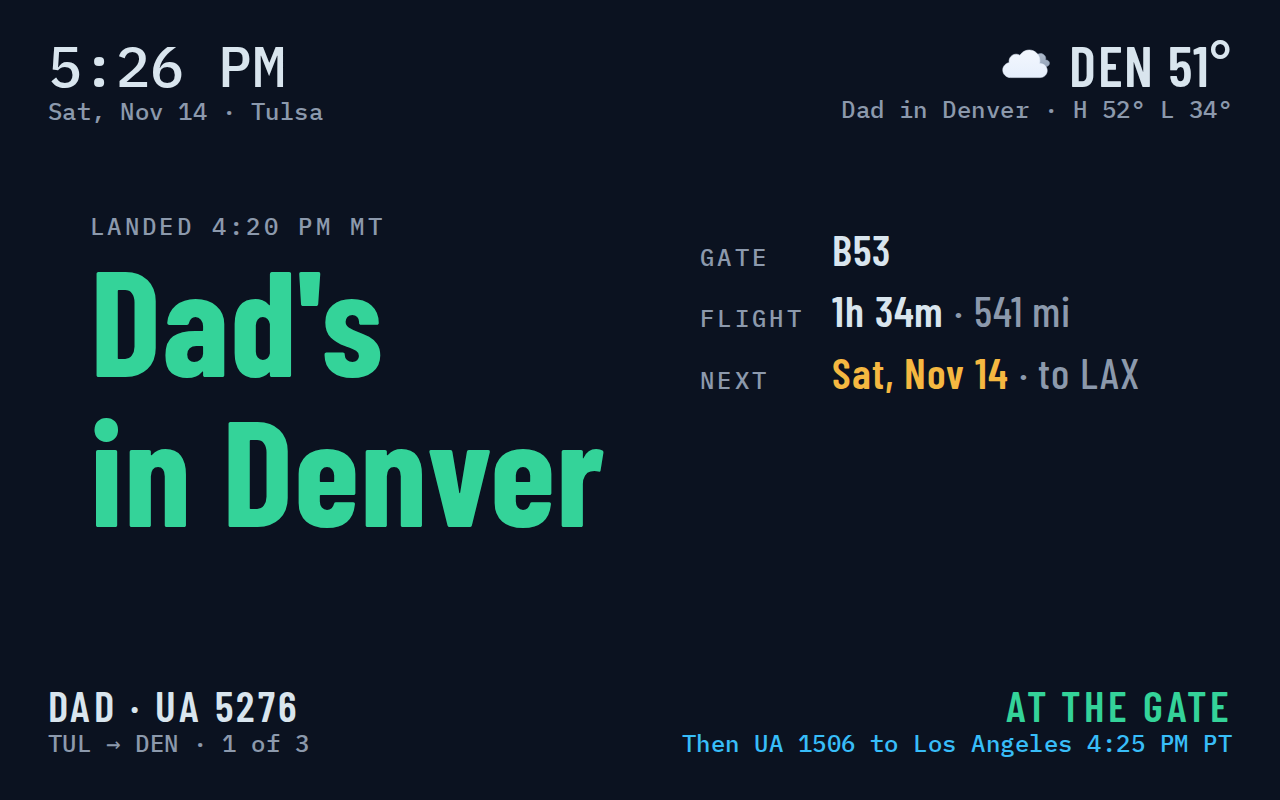
Dad’s in Denver
At the gate, the frame shows where he is, how far he flew, and the next trip coming up.
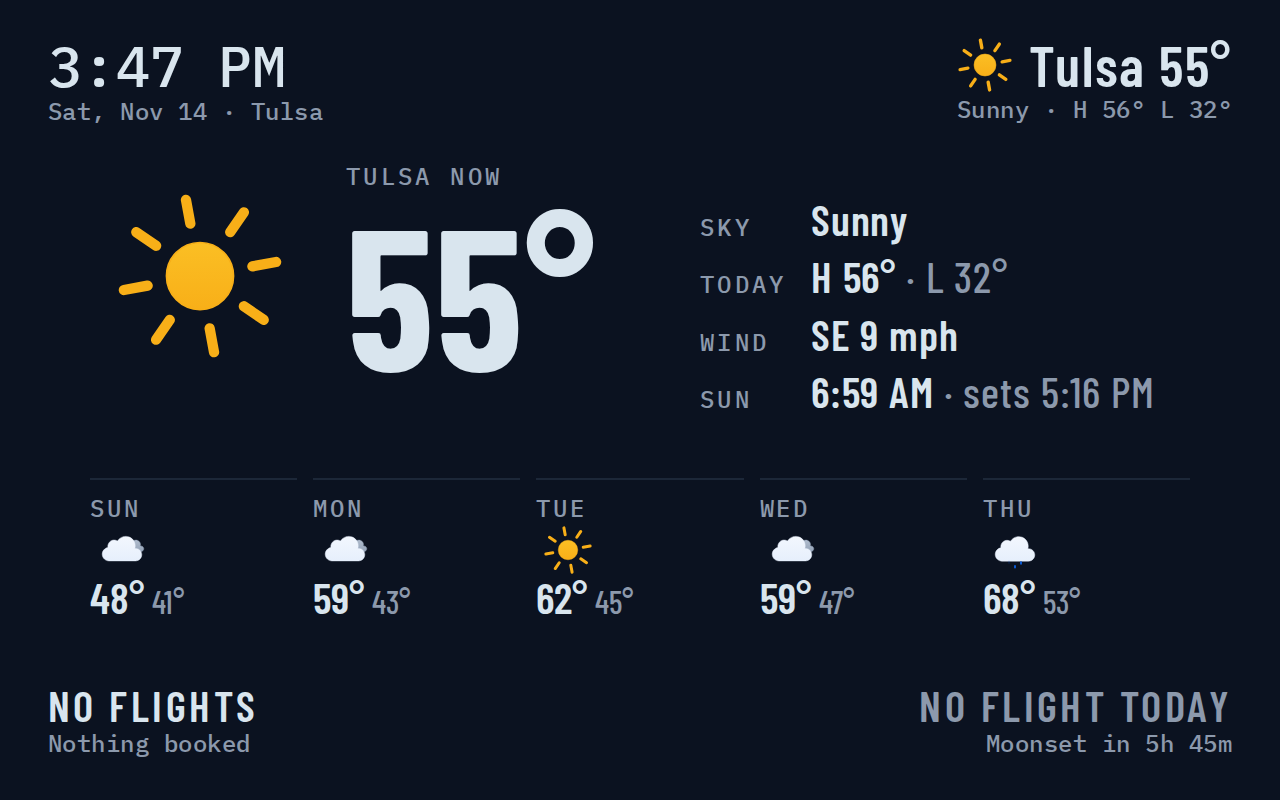
Back to home mode
With nobody flying, it’s the weather outside, the week’s forecast and your family photos.
No hardware to buy
Runs on the screens you already own
Set it up once. After that it runs on its own.
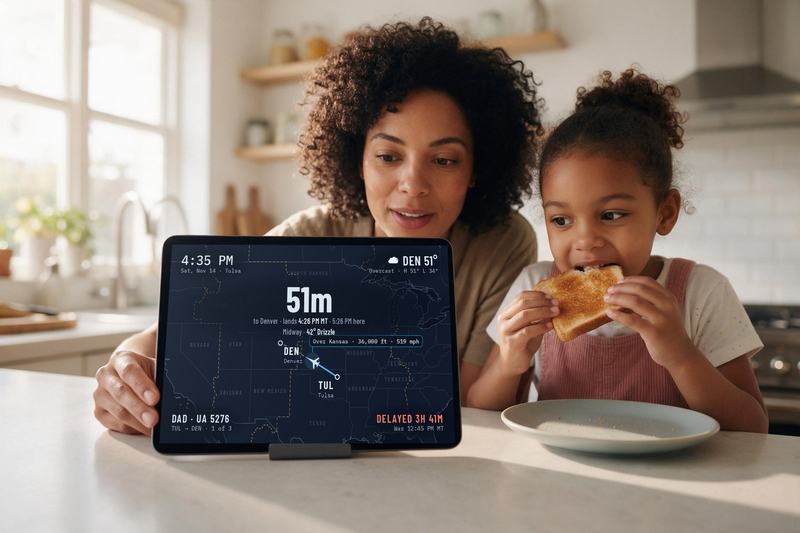
Kitchen tablet
Give an old iPad, Fire HD, Galaxy Tab or Pixel Tablet a spot on the counter.
- One-touch full-screen kiosk lock
- Dims at night with the kitchen lights
- OLED and IPS burn-in protection
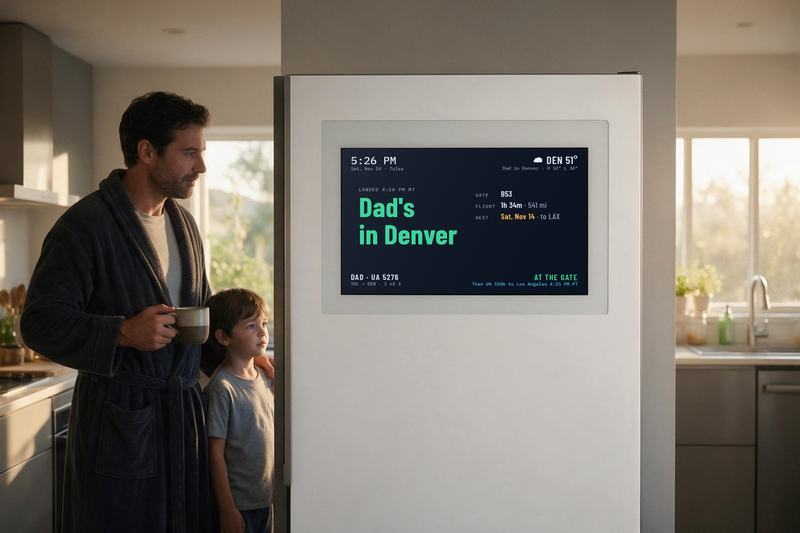
Smart fridge
Full screen on a Samsung Family Hub or a wall-mounted touchscreen.
- Kids check it before school
- Family calendar when nobody’s flying
Living room TV
Cast to Samsung The Frame, Apple TV or a Chromecast.
- Dark map that keeps the room dim
- Photo slideshow between trips
Phone and watch
The same flight on iPhone and Android Lock Screen and Home Screen widgets.
- Dynamic Island Live Activity
- Apple Watch and Wear OS alert at touchdown
“Hey Siri, where’s Dad’s flight?”
“United 5276 is cruising over Kansas at 36,000 feet. Touchdown in Denver in 48 minutes.”
On the Household plan, ask Siri or Gemini from any room. Flight Frame uses AI to turn the flight’s status into a plain spoken answer.
Adding flights
Connect the traveler’s work calendar once (Apple, Google or TripIt) and every flight on it shows up on its own, a month of back-to-back trips at a time. You can also type a date and flight number, or forward the airline’s confirmation email.
Plans
One traveler or the whole family
Start small with an occasional trip. Pro is for one frequent flyer. Household follows everyone who travels.
Starter
For the occasional family trip
billed $3.96 every 4 weeks
- 1 traveler
- 1 screen
- Calendar import
- Live map with altitude and speed
- Home mode with weather and photos
Pro
For one frequent flyer, commuter or crew member
or $99 a year
- Everything in Starter
- Unlimited flights · 1 traveler
- Dynamic Island and Lock Screen Live Activities
- Apple Watch and Wear OS alert at touchdown
- Up to 2 home screens
- OLED and IPS burn-in protection
For families
Household
For several travelers, pilots or crew
or $149 a year
- Follow several travelers at once
- Split map and multi-flight view
- Unlimited screens · tablets, fridges, TVs
- Family calendar sync · Apple, Google, TripIt
- Ask Siri or Gemini from any room
The beta is free while it lasts. At launch, every household gets a 5-day free trial with all features. A card is needed at sign-up; the trial rolls into Starter unless you pick Pro or Household.
Flight Frame in plain words
- What is Flight Frame?
- Flight Frame is a family flight display. It shows where someone you love is flying, on a screen already in your home, with the countdown to takeoff, the plane on a live map, the weather where they land, and the moment they touch down. It is a product of Reinitz Industries, LLC, founded by Jerry Reinitz in Oklahoma.
- How is Flight Frame different from a flight tracker app?
- Flight tracker apps start with a flight number and a date, and someone has to open the app to check. Flight Frame starts with the traveler: it reads their calendar or a month of trips entered once, then shows every flight on its own on a screen the family can read from across the room. Nobody has to look anything up.
- What do I need to use Flight Frame?
- A screen you already have: a tablet, a smart fridge, a TV or a phone, plus an internet connection. No new device to buy. During the beta it covers US domestic flights on any airline and is free. At launch every plan starts with a 5-day free trial; then Starter is 99¢ a week, Pro $9.99 a month and Household $14.99 a month.
FAQ
Questions families ask
Do I need to buy special hardware?
No. Flight Frame is software. It runs on an iPad, Amazon Fire HD, Samsung Galaxy Tab, Google Pixel Tablet, Samsung Family Hub fridge or smart TV you already own, with widgets for iPhone and Android.
Which flights does it follow?
US domestic flights, any airline, during the beta. Connect the traveler’s calendar, type a date and flight number, or forward the airline’s confirmation email.
How do Starter, Pro and Household compare?
Starter (99¢ a week, billed $3.96 every 4 weeks) covers 1 traveler on 1 screen, with calendar import, the live map and home mode. Pro ($9.99 a month or $99 a year) is unlimited flights for one traveler, with Live Activities and up to 2 screens. Household ($14.99 a month or $149 a year) follows several travelers at once on unlimited screens, with family calendar sync and answers from Siri or Gemini.
How does the free trial work?
Every new household starts with a 5-day free trial with all features. We ask for a card when you sign up. When the trial ends it rolls into Starter at 99¢ a week, billed $3.96 every 4 weeks, unless you pick Pro or Household. The beta is free while it lasts.
What does the screen show when nobody is traveling?
It fades into home mode: the weather outside, the 5-day forecast, your family photo albums and a countdown to the next trip on the calendar.
Will a tablet on the counter all day get screen burn-in?
No. Flight Frame shifts the picture by a pixel every few minutes and dims at bedtime with the room.
Join the beta
The beta is open now and free. Leave your email and we’ll send setup steps for your first screen.
Questions first? Write to help@flightframe.app